
How to soundtrack elevate.io projects with Epidemic Sound’s API
Learn how to use Epidemic Sound directly in elevate.io.


We’ll cover:
- Can you use Epidemic Sound’s music in elevate.io?
- Who is elevate.io’s Epidemic Sound integration for?
- How can you access Epidemic Sound in elevate.io?
- How do elevate.io’s tokens work for Epidemic Sound?
- Do you need to pay to use Epidemic Sound in elevate.io?
- How to use Epidemic Sound in elevate.io
Can you use Epidemic Sound’s music in elevate.io?
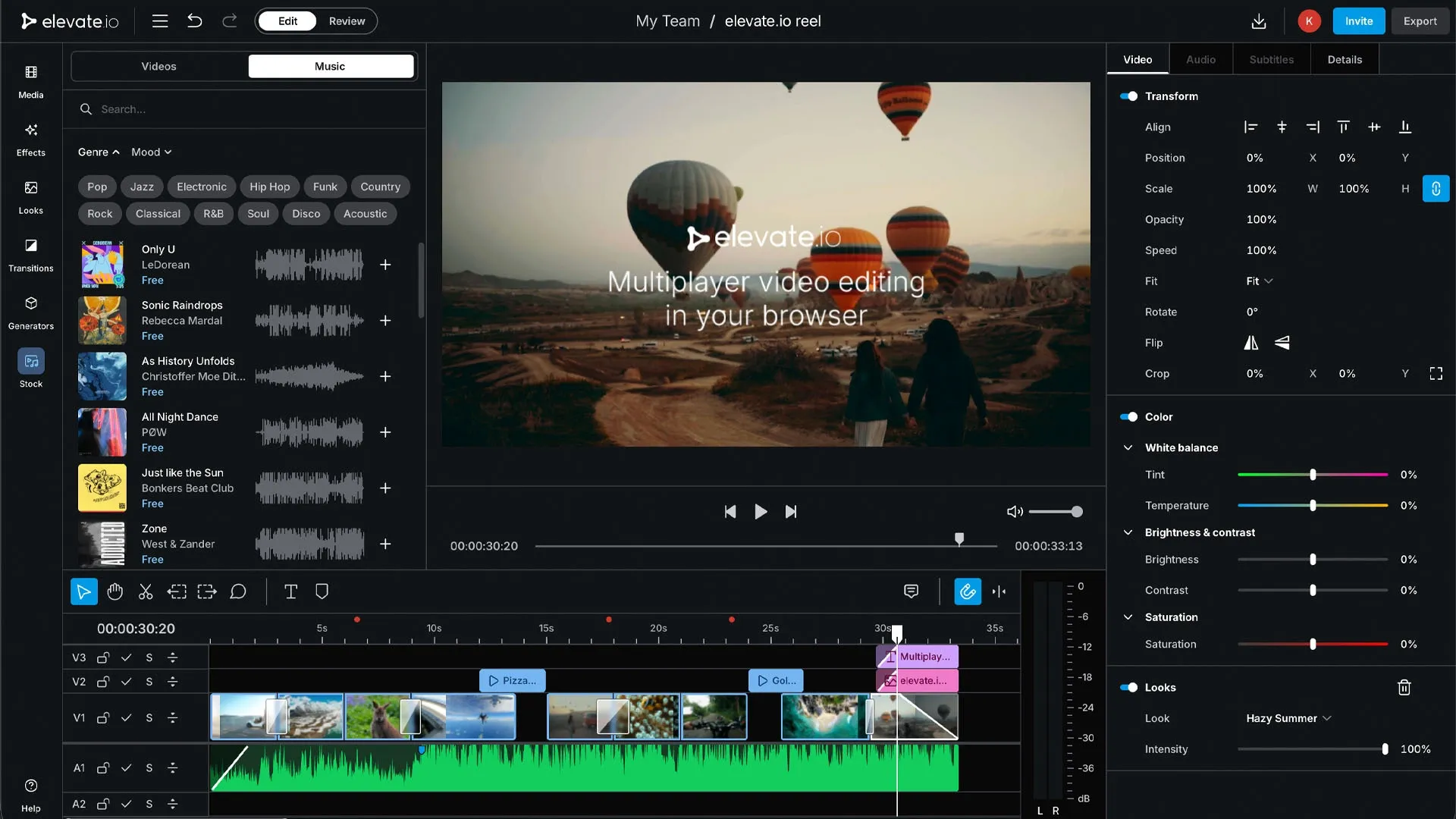
Epidemic Sound’s catalog of more than 55,000 world-class tracks is now available in elevate.io, the online video editor. Users can search, preview, and add Epidemic Sound tracks to their elevate.io editing timeline without ever leaving their browser. This is handled via Epidemic Sound’s API, through a partnership with elevate.io.
Who is elevate.io’s Epidemic Sound integration for?
Anyone using elevate.io can benefit from the Epidemic Sound integration. Whether you’re working solo on behalf of clients or part of a wider brand team, you can seamlessly add great music to your elevate.io-based projects. No external downloads, manual uploads, or unnecessary friction breaking your flow.
Epidemic Sound owns all the necessary rights to its catalog, meaning you can soundtrack your content without licensing individual tracks from third parties.
Don’t worry about the license. It’s covered.
How can you access Epidemic Sound in elevate.io?
You can access Epidemic Sound’s music catalog in elevate.io’s fully online, cloud-native video editor. It’s available to all elevate.io users.
How do elevate.io’s tokens work for Epidemic Sound?
Epidemic Sound’s music can be licensed with elevate.io’s token system. Individual users need 100 tokens to license a track, while business users need 500. New users receive 100 introductory tokens upon joining, whether it’s a free or paid subscription.
Here’s how many monthly tokens users receive with each elevate.io plan:
- Starter: 100 introductory tokens upon sign-up, does not renew
- Creator: 100 monthly tokens
- Pro: 500 monthly tokens
- Business: 2,000 monthly tokens
Paid subscribers can purchase extra tokens directly in elevate.io.
Do you need to pay to use Epidemic Sound in elevate.io?
All elevate.io users, including those on the free Starter plan, receive 25 Epidemic Sound tracks for free. These can be used in non-commercial and non-monetized content created with elevate.io.
How to use Epidemic Sound in elevate.io
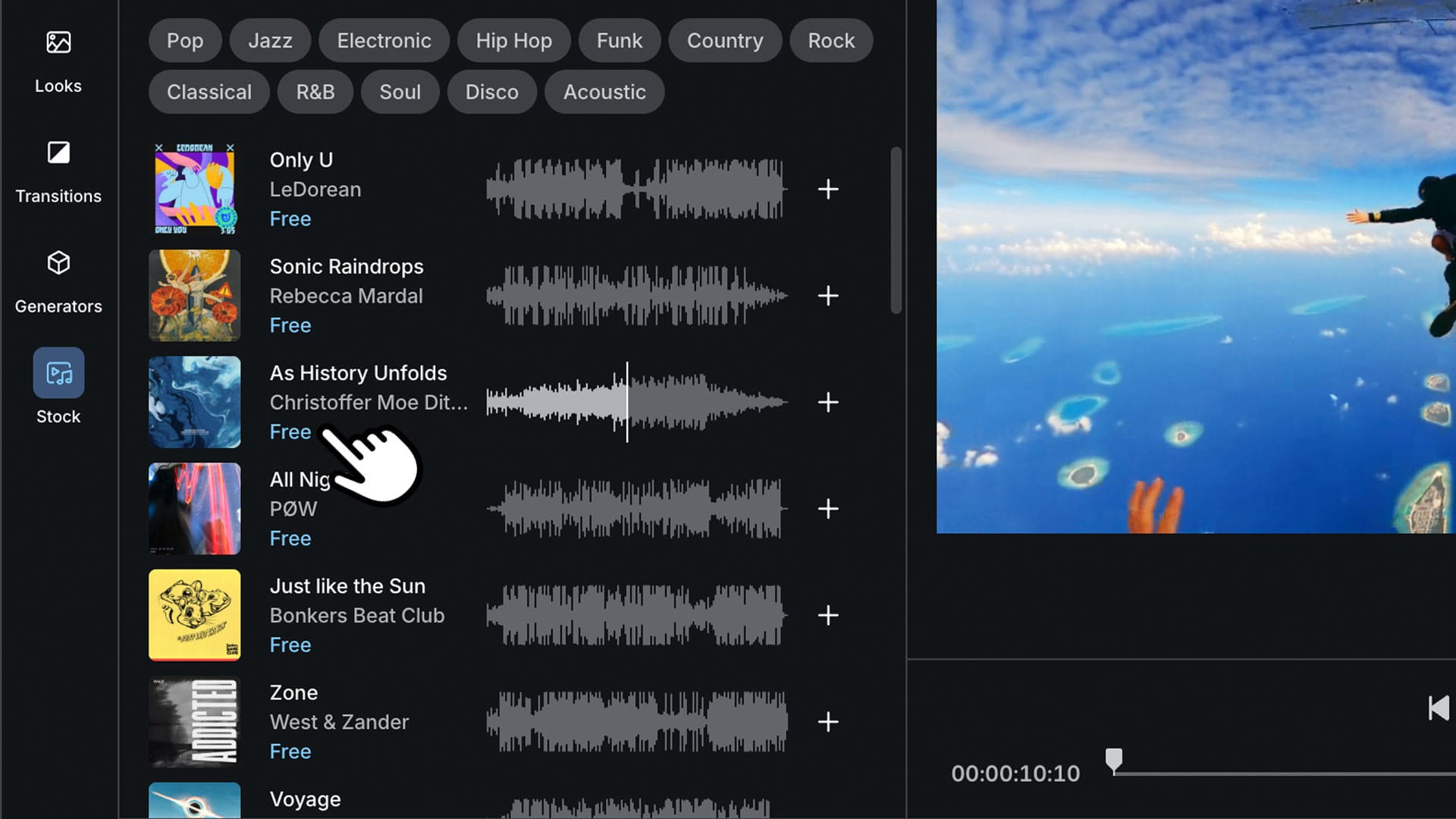
Access Epidemic Sound’s catalog by opening the elevate.io editor, finding the “Music” tab, and dragging any track onto your project’s timeline.
Here’s how it works, step by step:
- Log in to elevate.io. Open a project, or create a new one.
- Click the “Stock” feature tab in the left-hand menu, then select “Music.” You can do this when you’ve finished editing your video content, or at any other point during the edit.
- Filter Epidemic Sound’s catalog by genre or mood, scroll available tracks, or use the search bar.
- Click a track’s cover art to preview the music. If you like what you hear, drag it onto your timeline.
- The track you choose isn’t immediately licensed. To clear the track for use, head to your timeline and click the “Not licensed” button on the track.
- Confirm the license based on whether you’re an individual or a business. Double-check the details, then click “License” to license the track with elevate.io tokens.
- Safelist your project. This process lets platforms like YouTube, TikTok, and more know that the music in your content is licensed correctly. Paste your channel’s URL, or the direct URL of your content, into the “Enter URL” field.
- Click “Export” in the top-right corner, choose your resolution and format, then wrap things up with “Export video.”
Want to keep experimenting? Epidemic Sound’s Assistant, Adapt, and Studio smart tools help you find, edit, and work music into your content.